AI-Assisted Software Architecture: Generating the C4 Model and Views Directly from Code
AI-powered C4 model and views: Analyze any codebase with Claude Code, generate a Structurizr-DSL based architecture model, and create architecture diagrams in minutes instead of hours.
Let me start with a short story.
Yesterday, a colleague showed me an app he had mostly vibe-coded. The product itself was interesting, but after the demo he said something that caught my attention:
“Let me show you the architecture.”
His instinct was to jump straight into the codebase and start navigating files and folders. Instead, I suggested a different approach.
Instead of browsing code, why don’t we model the architecture first?
Skipping Code Browsing, Starting with Architecture
The idea was simple: instead of mentally reverse-engineering the architecture from code, we create a C4-based architecture model using the Structurizr DSL that provides all the relevant views at once.
With the help of Claude Code, we were able to:
- analyze the codebase quickly,
- generate a Structurizr DSL model,
- and refine it iteratively.
Once the DSL was ready, we copied it into playground.structurizr.com and generated the defined diagrams.
Within minutes, we could navigate through the different C4 views:
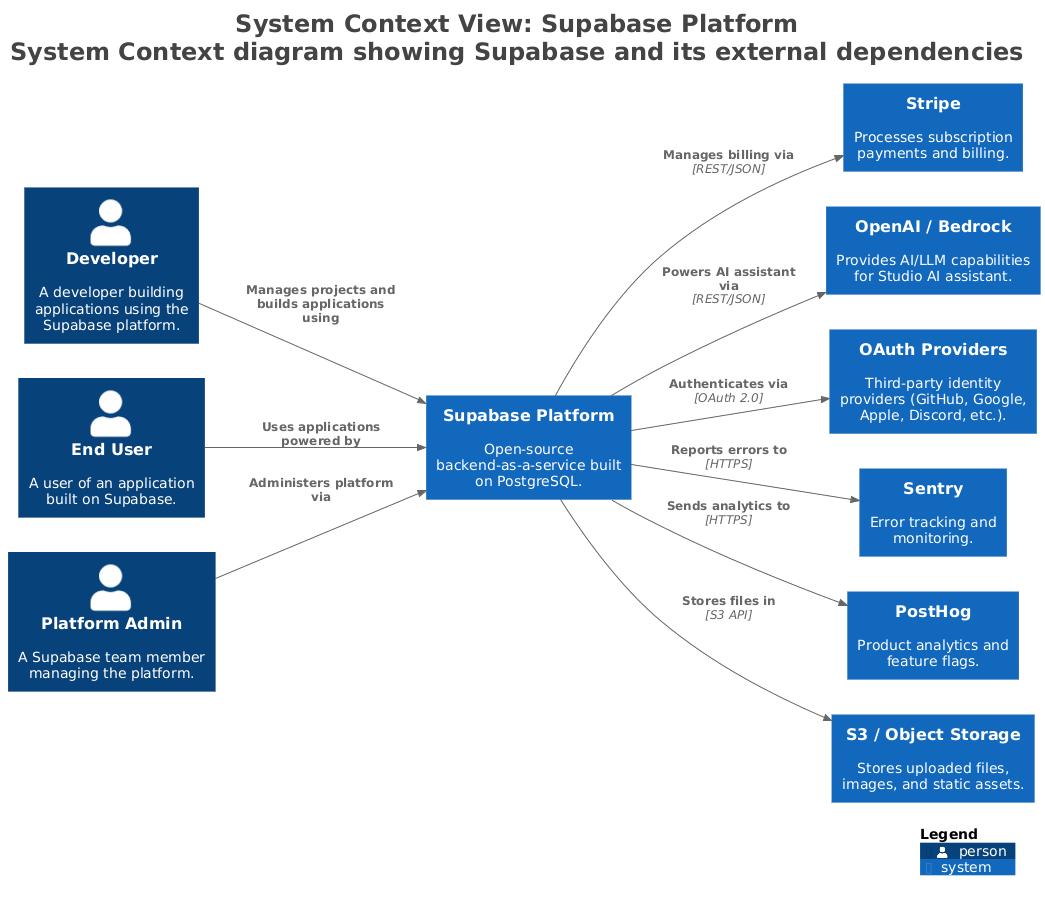
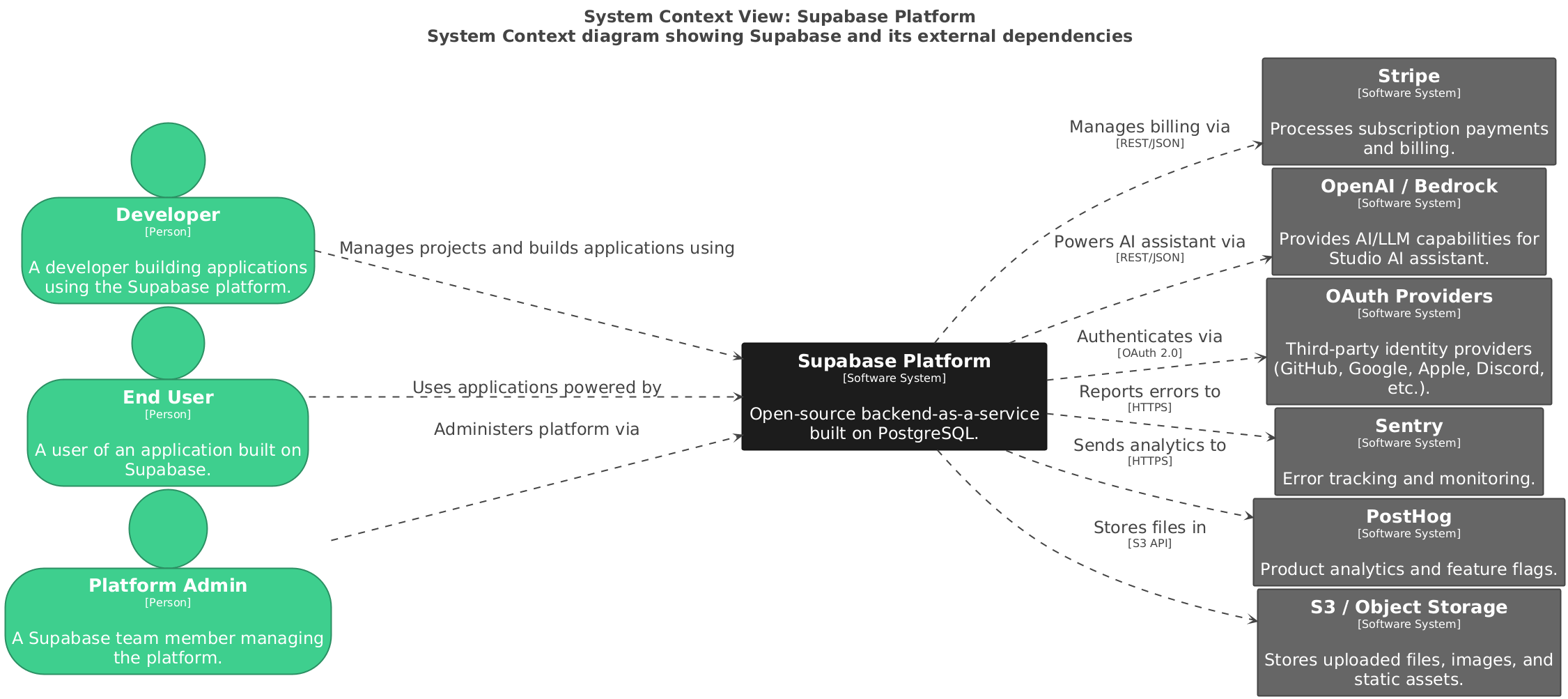
- System Context Diagram
- Container Diagram of the Software System
- Component Diagram of the interesting Containers
No guesswork. No scrolling through files. Just a hierarchical overview of the software architecture.
The “Wait a Second…” Moment
That experience sparked an idea.
What if this wasn’t just a one-time experiment?
What if there is a Claude Code skill that does exactly this:
- Analyze an entire codebase
- Derive an architecture model automatically
- Generate a Structurizr DSL
- Produce ready-to-use C4 diagrams
In other words: Architecture documentation as an AI-assisted, repeatable process.
Why This Matters
Modern codebases evolve quickly, but architecture diagrams usually do not. If we can:
- generate architecture models quickly
- keep them close to the code
- and make them easy to browse and discuss
then architecture becomes a living artifact, not a forgotten document.
The Repository
I turned this idea into a first experiment, which you can find here 👇
 bitsmuggler
The Demo
About three years ago, I wrote an article about the Supabase architecture, where I analyzed the architecture in a few hours. See the full blog post here 👇
 Patrick Roos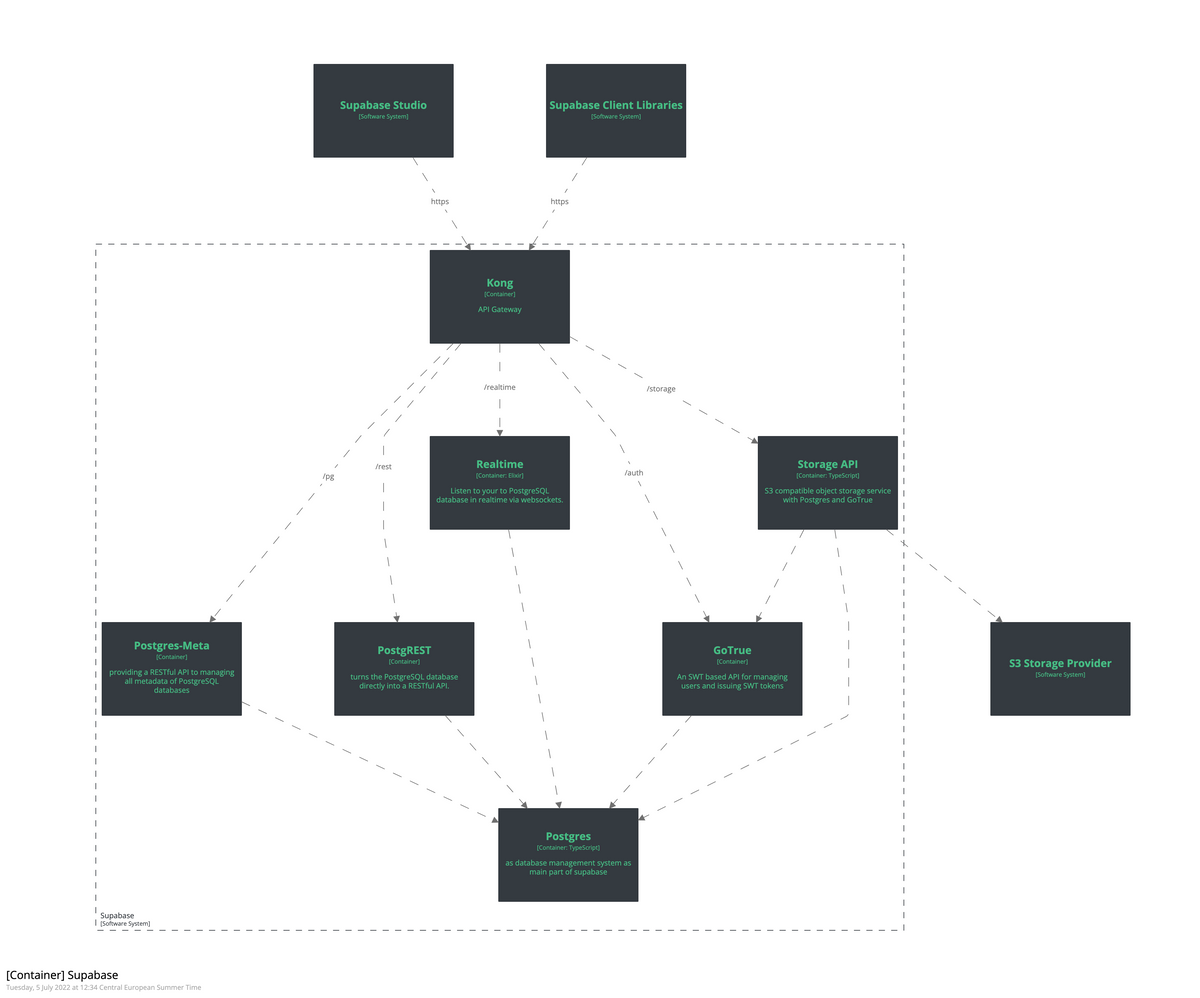
With this first draft of the C4-Architecture Claude Code skill, the process takes just minutes.
In the following screenshots, you'll see how Claude Code works with this new C4 model architecture skill.
Prerequisites
To use this additional C4 Claude Code architecture skill, you must clone the repository:
- Clone the repository into your Claude config directory
- Symlink the command
- Optional: Pull the required Docker images (for better initial performance)
- Restart Claude Code
Starting the analysis
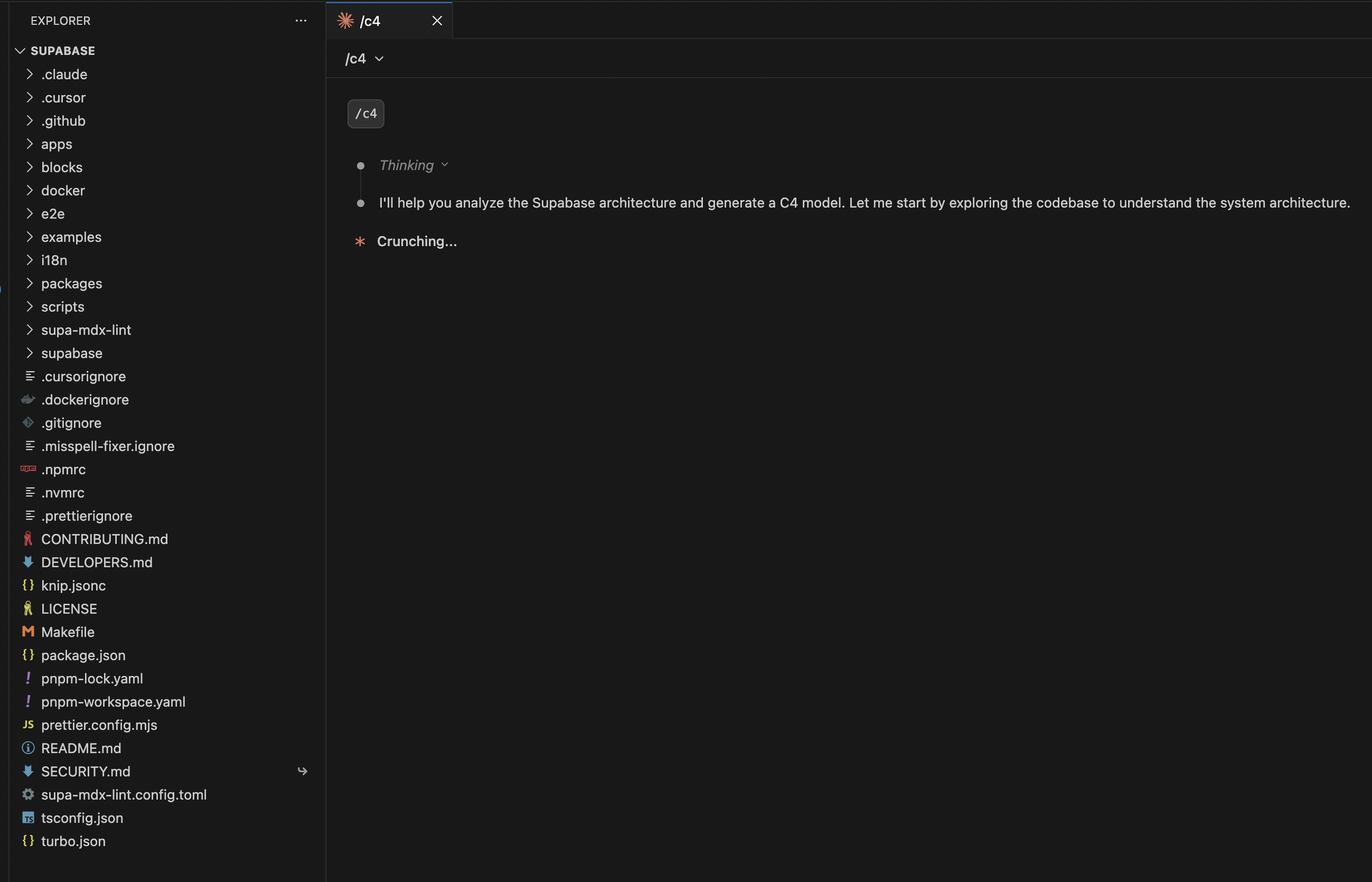
If you see the command and type /c4, the plugin is correctly installed. By selecting the command and pressing Enter, you will start the command.
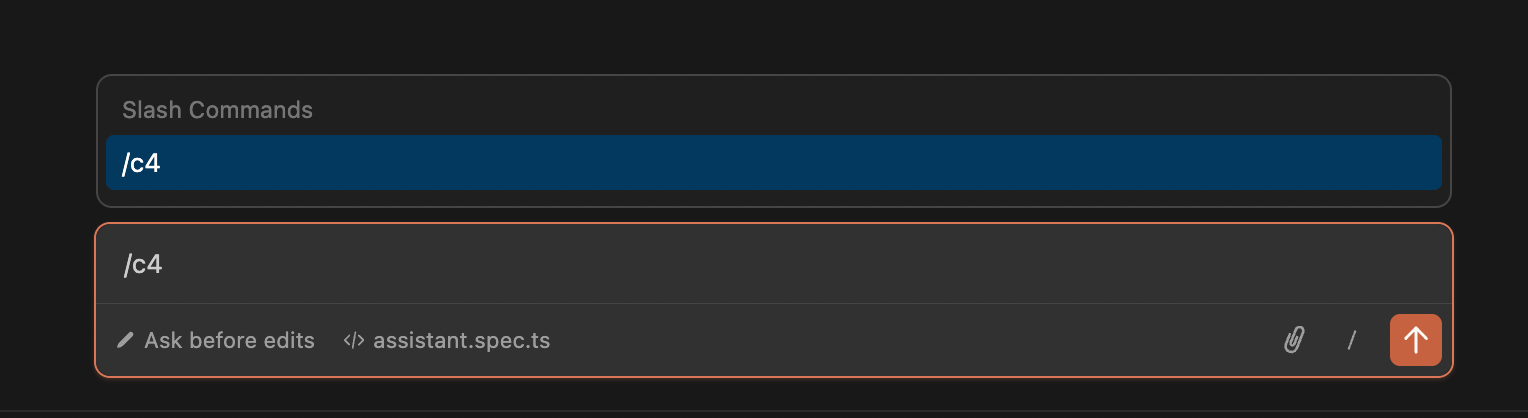
The command initiates the entire skill on Claude Code.
While analyzing the entire codebase, it will ask you for some C4 specifics, such as which views you would like to specify in the DSL.
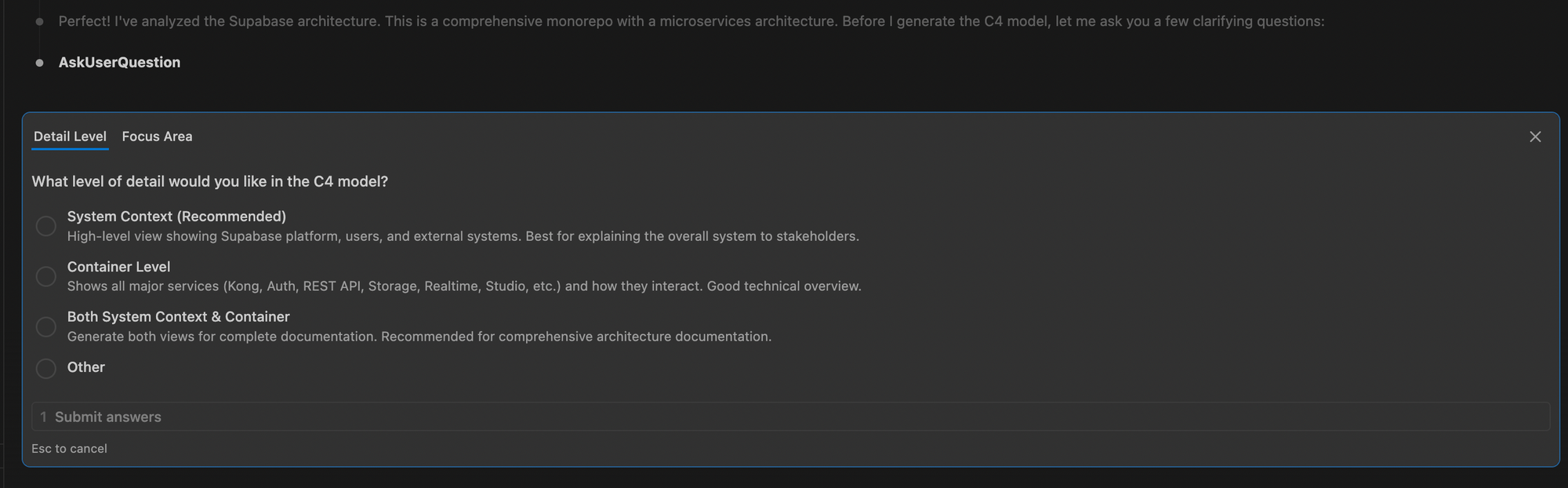
Additionally, you will be asked which part of Supabase you want to analyze because it is a large codebase.

After analyzing the codebase, the skill can write the architecture model using the Structurizr DSL in a workspace.dsl file.
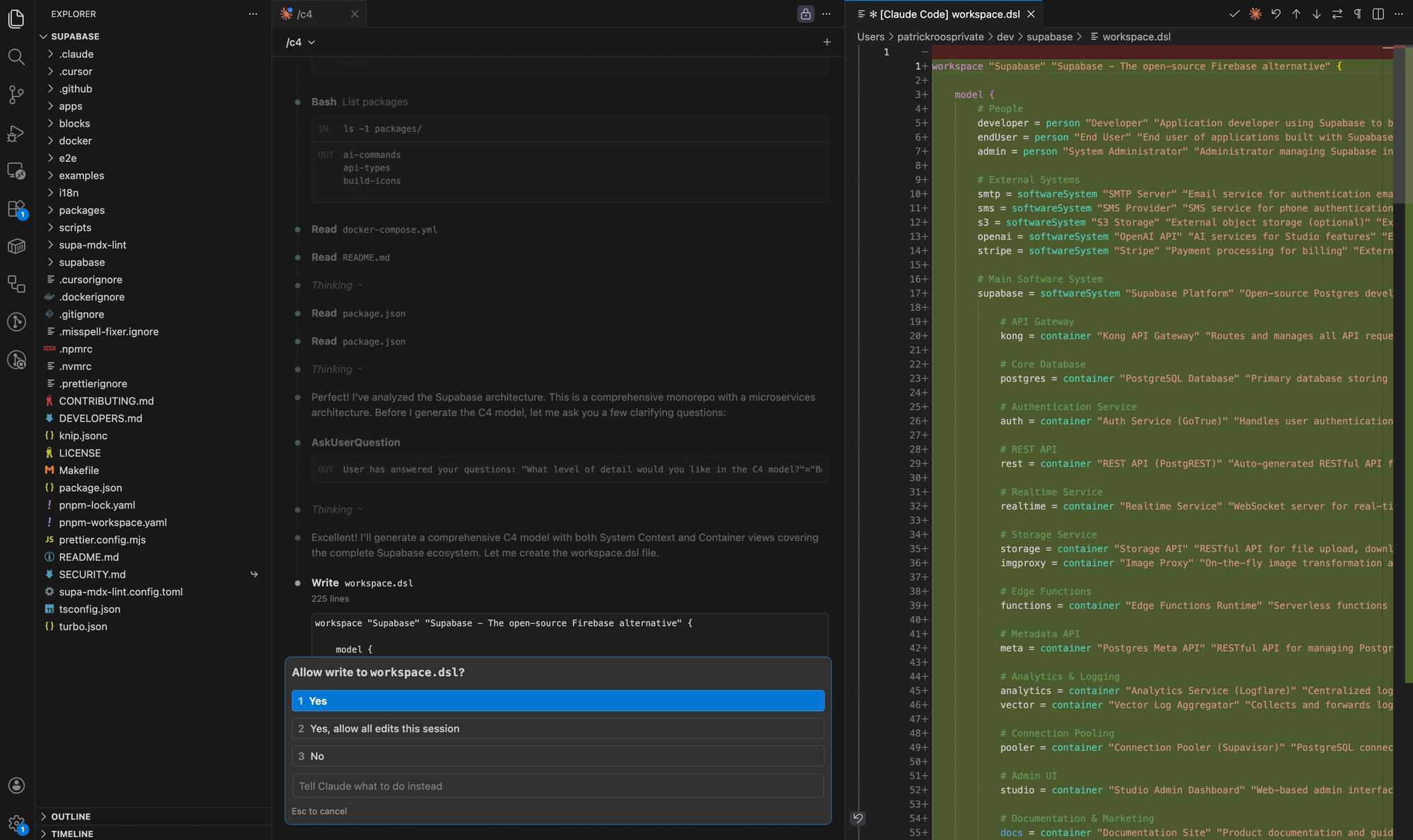
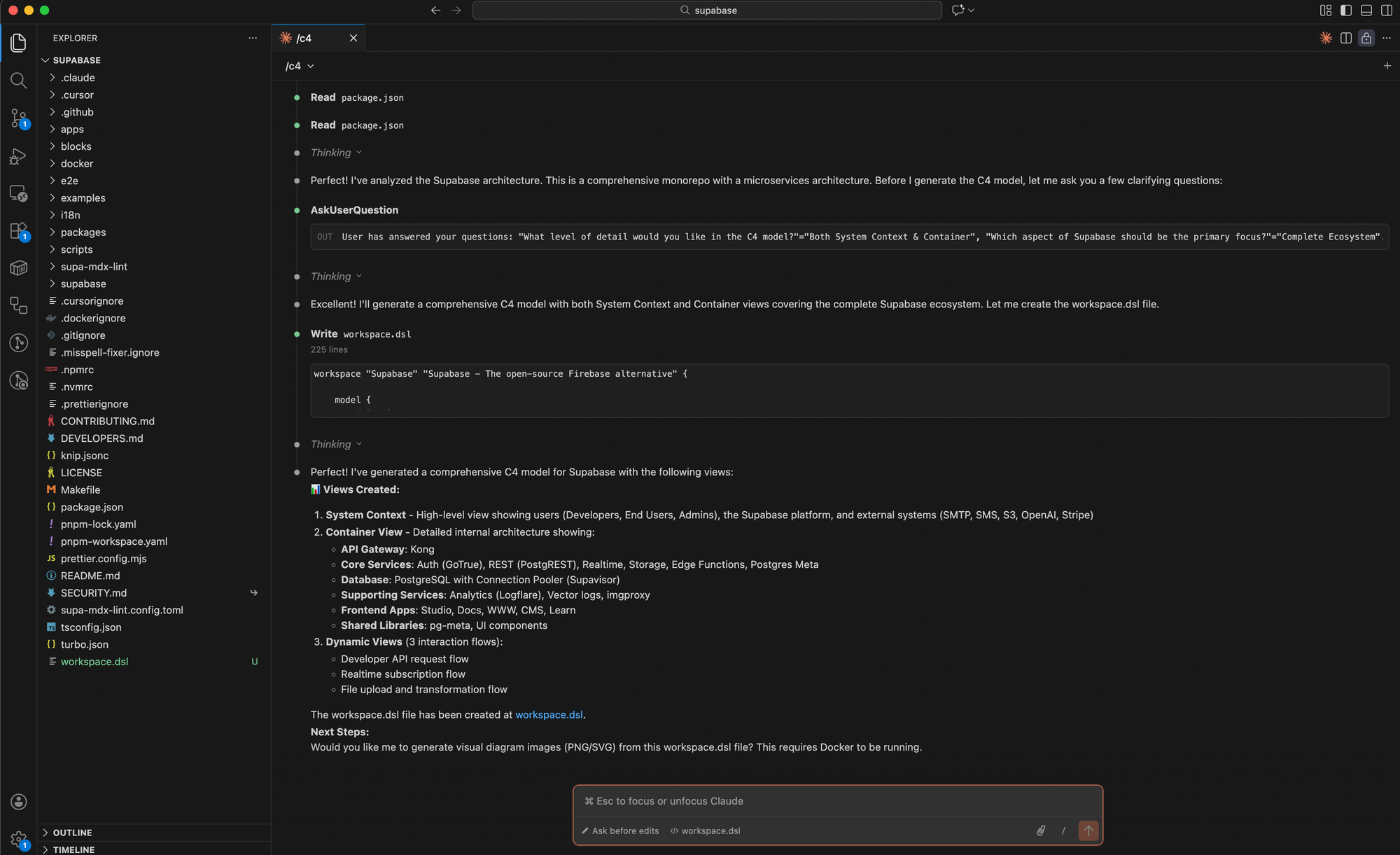
Here you will find the completed workspace.dsl file for Supabase, which can be viewed at playground.structurizr.com, along with all generated architecture diagrams.
 262588213843476
Reviewing the created views
Level 1: System Context View
Level 2: Container View (all containers)
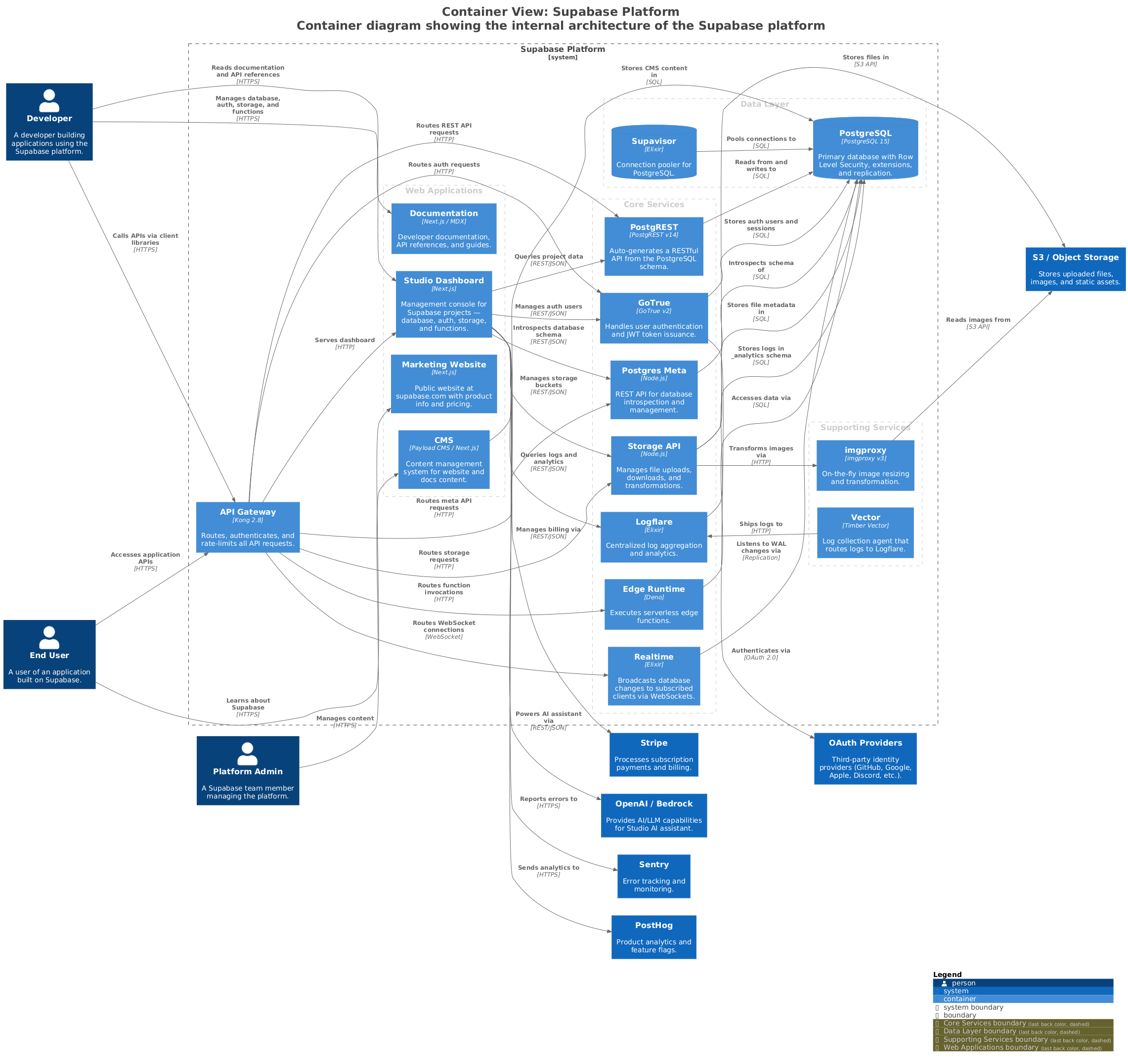
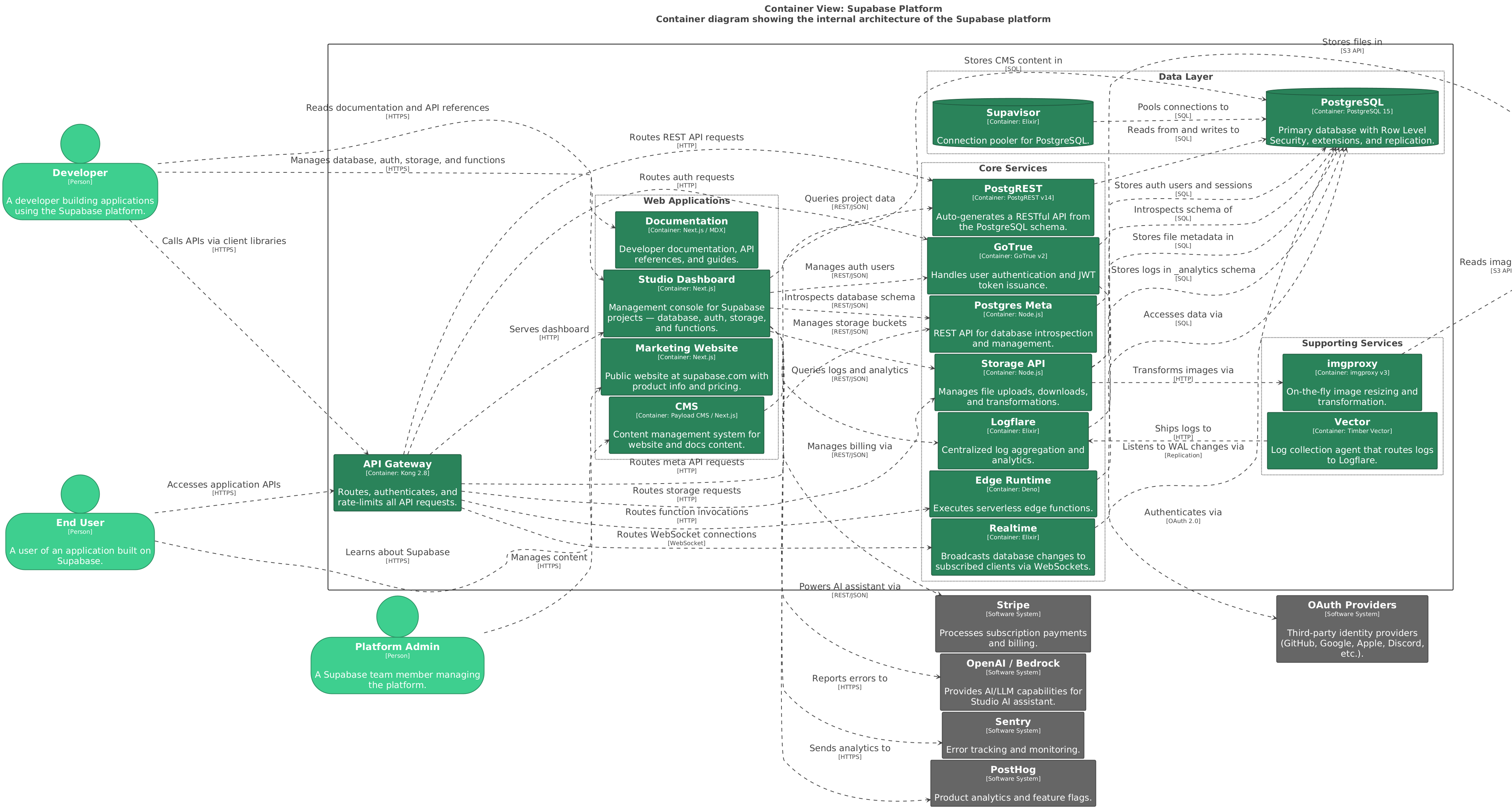
This is a first draft of a C4 architecture skill for Claude Code. It provides an initial overview of the major building blocks and third-party dependencies of your system. This was my first attempt to support AI-assisted software architecture work.
I hope this helps as a software architect! But be aware - the code doesn't tell the whole story 😉.
Let me know if you have any feedback or thoughts on this idea.
Thank you.

Comments ()